
This is where WooCommerce product search becomes incredibly important.
A customer who cannot quickly find the right product may leave your store, even if you actually sell exactly what they were looking for. A good search experience removes that frustration and helps shoppers move from browsing to buying with less effort.
For WooCommerce store owners, product search is not just a small feature placed somewhere in the header. It is an important part of the customer journey. The quality of your search system can affect product discovery, user experience, conversion rates, and ultimately revenue.
In this complete guide, we will explore how WooCommerce product search works, why the default search experience may not be enough for growing stores, what features a better search system should offer, and how you can improve product discovery across your WooCommerce store.
What Is WooCommerce Product Search?
WooCommerce product search is the search functionality that allows shoppers to find products within an online store.
A basic search allows users to enter a keyword and receive a list of matching products. For example, a customer might search for:
“Running shoes”
“Black T shirt”
“iPhone case”
“Wireless keyboard”
“SKU 12345”
The search system then tries to find products that match the customer’s query.
However, modern ecommerce search is more complicated than simply matching one word with another. Customers often make spelling mistakes, use different terminology, search for product codes, or enter incomplete phrases.
For example, a customer may search for “samsng phone” instead of “Samsung phone.” If your search system only looks for an exact match, it may return no results.
This is why an effective WooCommerce product search experience needs to understand what the shopper is trying to find, not just what they typed.
Why WooCommerce Product Search Matters
Imagine a customer arrives at your store through Google. They already know what they want and are ready to buy.
Instead of browsing through dozens of categories, they use the search box.
If they immediately see relevant products, they can compare options and continue toward checkout.
But if the search returns irrelevant products, shows no results, or takes too long to respond, the customer may simply leave.
This makes product search a critical part of ecommerce usability.
A strong search experience can help customers:
Find products faster
Discover products they did not know about
Navigate large product catalogs
Find products using SKUs or product codes
Recover from spelling mistakes
Explore related products
Reduce the time between product discovery and purchase
For stores with hundreds or thousands of products, search becomes even more important. Customers cannot realistically browse every product manually. They need a fast and reliable way to narrow down the catalog.
The Limitations of Default WooCommerce Search
WooCommerce provides basic product search functionality, which can work well for small stores with simple catalogs.
However, as a store grows, the default search experience may not meet the expectations of modern shoppers.
One common problem is limited search accuracy.
A basic search may depend heavily on exact keyword matching. If a customer enters a slightly different phrase or makes a spelling mistake, the results may not be useful.
Another issue is the lack of instant feedback.
Traditional search often requires the shopper to type a query, submit a form, wait for a new page to load, and then review the results.
This creates unnecessary friction.
Modern ecommerce websites often use AJAX powered search, which can display results while the customer is typing. This creates a faster and more interactive experience.
The difference may seem small, but small improvements in the shopping journey can have a meaningful impact on usability.
What Makes a Good WooCommerce Product Search Experience?
A good product search system should help customers find relevant products with as little effort as possible.
There are several features that can make a major difference.
1. AJAX Live Search
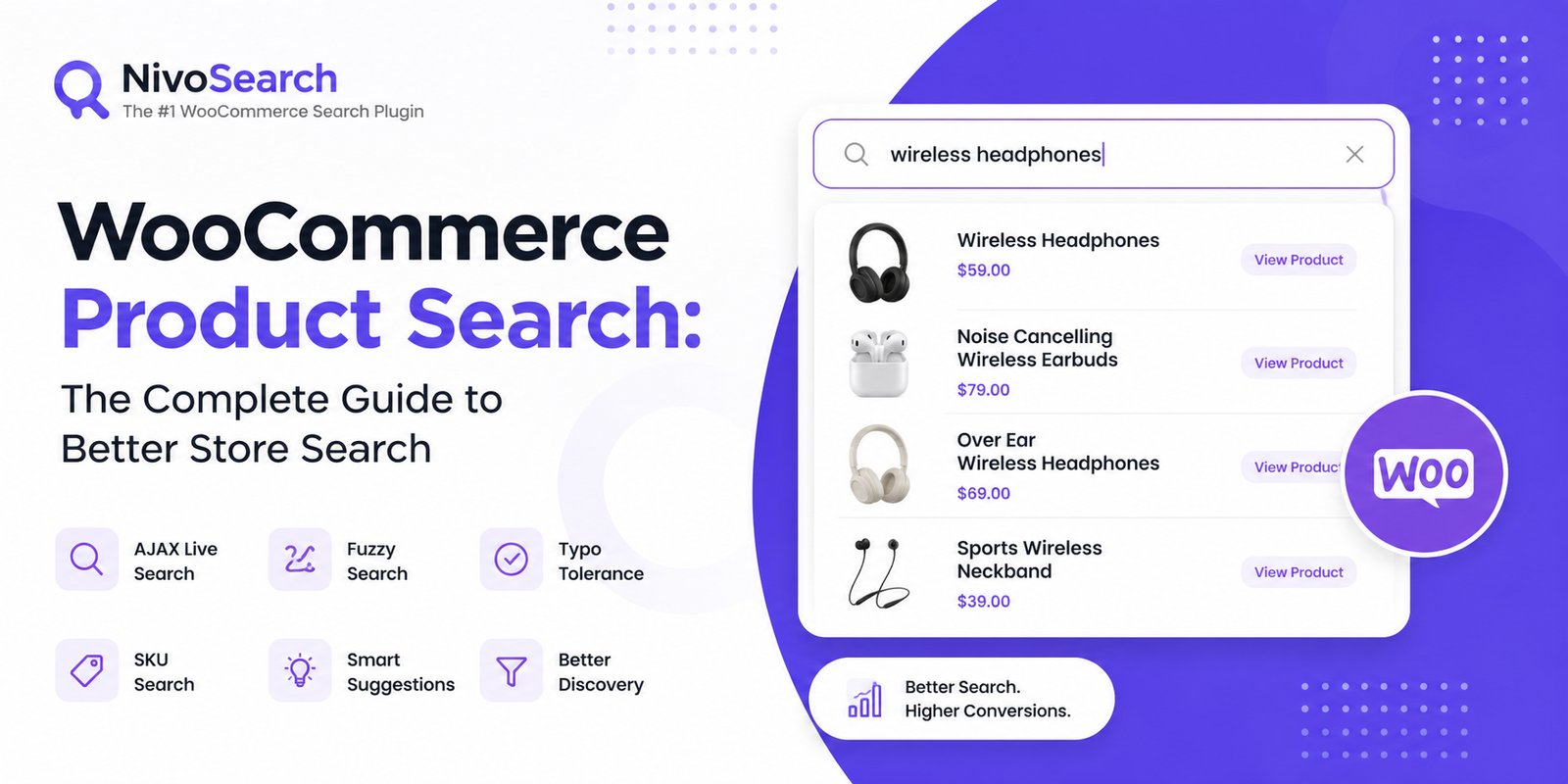
AJAX live search allows product results to appear while the customer is typing.
For example, if someone enters “wireless headphones,” the search interface might immediately show matching products, product images, prices, and links.
The customer does not need to press the search button or wait for another page to load.
This creates a smoother shopping experience and helps customers reach product pages faster.
Live search is particularly useful for stores with large catalogs because it gives shoppers immediate feedback about what is available.
2. Search Suggestions
Search suggestions can help customers discover relevant products before they finish typing.
For example, when a shopper enters “lap,” the search system might suggest:
Laptop Bags
Laptop Stands
Laptop Accessories
Gaming Laptops
This can make the search process more intuitive.
Search suggestions are also useful when customers are unsure about the exact product name. Instead of forcing them to create a perfect query, the search system can guide them toward relevant options.
3. Fuzzy Search
Fuzzy search is one of the most useful features for ecommerce product search.
It allows a search system to find relevant results even when the customer’s query is not an exact match.
For example, a customer might type:
“nik shoes”
Instead of returning no results, a fuzzy search system may understand that the shopper probably meant “Nike shoes.”
This is especially valuable because real users make mistakes.
They may misspell brand names, type too quickly, omit letters, or use slightly different terminology.
A search experience that can handle these variations feels much more intelligent and user friendly.
4. Typo Tolerance
Typo tolerance is closely related to fuzzy search, but it focuses specifically on spelling mistakes.
Consider a customer searching for:
“bluetooh speaker”
A strict search system may fail to return useful results.
A typo tolerant search system can recognize that the user likely meant “Bluetooth speaker” and show relevant products.
This feature is particularly important on mobile devices, where typing errors are common.
5. SKU Search
SKU search is essential for many WooCommerce stores, especially B2B stores, wholesale businesses, electronics shops, and stores with large inventories.
A customer or business buyer may already know the exact SKU of the product they want.
For example:
“WH 4589”
If the search system does not include SKU data, the customer may have difficulty finding the product.
Supporting SKU search allows shoppers to search using internal product identifiers and quickly locate the exact item.
6. Search Across Product Data
A powerful WooCommerce search system should not only look at the product title.
Depending on the store, customers may search using:
Product titles
Descriptions
Short descriptions
SKUs
Categories
Tags
Attributes
Brand names
Custom fields
For example, a customer may search for “cotton shirt” even though the product title is “Classic Summer Collection.”
If “cotton” appears in the product description or product attributes, the search system should ideally be able to recognize the relationship.
The more relevant product data your search system understands, the easier it becomes for customers to discover products.
How to Improve WooCommerce Product Search
Improving search does not necessarily mean adding every possible feature.
The right approach depends on your store size, product catalog, customer behavior, and business model.
Start by understanding how your customers actually search.
Look at your analytics and search data.
What are customers searching for?
Which searches return no results?
Which searches lead to product views?
Which search terms are associated with purchases?
These insights can help you identify the biggest weaknesses in your current search experience.
For example, if customers frequently search for SKUs, SKU search should be a priority.
If customers often make spelling mistakes, fuzzy search and typo tolerance may provide more value.
If your store has thousands of products, AJAX search and search suggestions can significantly improve navigation.
Product Search and Conversion Rate
Search is closely connected to conversion because customers who use search often have stronger purchase intent.
Someone browsing a category may still be exploring.
Someone searching for “red Nike running shoes size 10” probably has a much clearer intention.
If your search experience helps that shopper find the right product quickly, you have a better chance of converting that intent into a purchase.
This is why ecommerce businesses should treat product search as part of their conversion optimization strategy.
A better search experience can reduce friction, improve product discovery, and make it easier for customers to complete their shopping journey.
Of course, search alone cannot guarantee higher conversions. Product quality, pricing, trust, shipping, website performance, and checkout experience all matter.
But if customers cannot find your products, none of those other improvements can help.
WooCommerce Search Plugins
For many store owners, the easiest way to improve product search is to use a dedicated WooCommerce search plugin.
A specialized search plugin can add advanced functionality without requiring the store owner to build a custom search engine from scratch.
Depending on the plugin, features may include:
AJAX live search
Product suggestions
Fuzzy search
Typo tolerance
SKU search
Category search
Tag search
Product image previews
Custom search fields
Search result customization
Advanced filtering
When choosing a WooCommerce search plugin, it is important to consider more than the number of features.
Performance should be a major consideration.
Your search system should be fast, especially if your store has a large product catalog. A feature rich search system that makes your website slow can create a poor user experience.
Compatibility is also important.
The search solution should work well with your WooCommerce setup, theme, page builder, product data structure, and other plugins.
You should also consider how easy the system is to configure. Store owners should not need advanced programming knowledge just to create a useful search experience.
How AI Is Changing Ecommerce Search
Ecommerce search is becoming more intelligent.
Traditional search mainly focuses on matching keywords. Modern search systems are increasingly focused on understanding user intent.
For example, imagine a customer searches:
“comfortable shoes for walking all day”
A traditional keyword search may struggle because the phrase does not directly match a product title.
An intelligent search system can potentially understand that the shopper is looking for products associated with comfort, walking, and everyday use.
AI powered search can also help with natural language queries, product recommendations, semantic understanding, and personalized discovery.
However, AI should not be treated as a replacement for the fundamentals.
Fast performance, accurate indexing, good product data, clear product titles, and reliable search logic remain essential.
The best ecommerce search experiences combine strong search fundamentals with intelligent technologies where they genuinely improve the customer journey.
Search Engine Optimization and WooCommerce Product Search
WooCommerce product search is primarily a user experience feature, but it can also influence broader SEO performance indirectly.
When customers can easily discover products, they may view more pages and spend more time exploring your store.
Internal search can also reveal valuable insights into customer demand.
Suppose many visitors search for a product that you do not currently sell.
That data may reveal a new content or product opportunity.
However, store owners should remember that internal search results should not automatically become indexable pages.
Creating thousands of low quality search result URLs can create unnecessary crawl issues and duplicate content problems.
A better approach is to focus your SEO efforts on valuable product pages, category pages, landing pages, and useful content.
Use internal search data to understand your customers and improve your overall content and product strategy.
Common WooCommerce Product Search Problems
Here are some of the most common search problems WooCommerce store owners face.
Search Returns Irrelevant Results
This usually happens when the search algorithm does not properly understand product data or user intent.
Improving indexing and search relevance can help.
Customers Get No Results for Minor Typos
This is often caused by strict keyword matching.
Fuzzy search and typo tolerance can improve the experience.
Customers Cannot Find Products by SKU
If SKU data is not included in the search index, customers may struggle to locate specific products.
SKU search can solve this problem.
Search Is Too Slow
Slow search can frustrate customers, especially on large stores.
The search architecture, database queries, indexing strategy, hosting environment, and plugin configuration can all affect performance.
Customers Have to Leave the Search Page
Traditional search experiences often require a full page reload.
AJAX live search can reduce this friction by displaying results dynamically.
How to Choose the Right WooCommerce Search Solution
There is no single search solution that is perfect for every store.
A small store with 50 products may only need simple search improvements.
A large store with thousands of products may require advanced indexing, fuzzy matching, SKU search, and optimized query performance.
Before choosing a solution, consider the following questions:
How many products does your store have?
Do customers search by SKU?
Do customers frequently make spelling mistakes?
Do you need AJAX live search?
Do you want search suggestions?
Do you need category and tag search?
Does your store use custom product attributes?
How important is search speed?
Does the solution work with your current theme and plugins?
Can you configure it without technical knowledge?
Answering these questions will help you choose a search system based on your actual business requirements rather than simply selecting the plugin with the longest feature list.
Final Thoughts
WooCommerce product search is one of those features that can be easy to overlook until you experience a store with poor search.
When search works well, customers may barely notice it. They type what they need, find a relevant product, and continue shopping.
When search works poorly, the problems become obvious. Customers see irrelevant results, receive no results for simple typos, struggle to find products by SKU, or spend too much time browsing.
For WooCommerce store owners, improving search is ultimately about reducing friction.
Start with the basics. Make sure your search is fast, relevant, and easy to use. Then consider advanced capabilities such as AJAX live search, search suggestions, fuzzy search, typo tolerance, SKU search, and product data indexing.
The goal is not to create the most complicated search system possible.
The goal is to help every customer find the right product as quickly and naturally as possible.
That is what makes a great WooCommerce product search experience.
And as ecommerce continues to evolve, search will become even more important. Customers are becoming accustomed to fast, intelligent, and personalized shopping experiences. Stores that make product discovery easy will be in a much stronger position to turn visitors into customers and keep them coming back.