
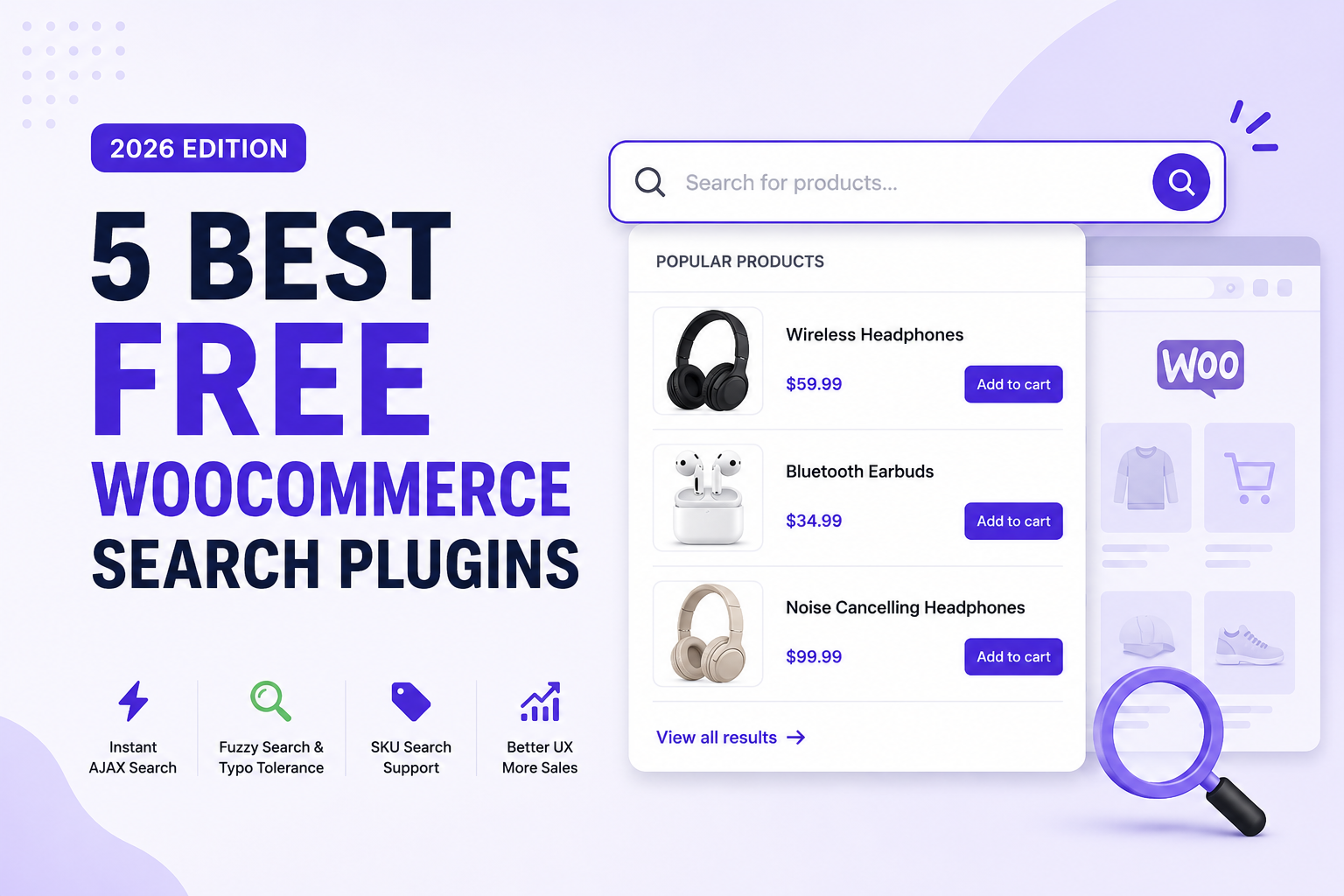
Unfortunately, the default WooCommerce search experience isn’t designed for modern eCommerce stores. It performs basic keyword matching but lacks the intelligent features customers now expect, such as instant search results, typo correction, fuzzy matching, SKU search, autocomplete, and mobile-friendly search experiences.
As your product catalog grows, these limitations become even more noticeable. A customer searching for “bluetooh speaker” instead of “Bluetooth speaker” may receive no results. Someone searching by a product SKU may fail to find the correct item. Every unsuccessful search represents a missed sales opportunity.
That’s why many successful WooCommerce stores replace the default search with a dedicated search plugin.
A good WooCommerce search plugin does much more than display products. It helps customers discover products faster, reduces search frustration, improves user experience, and increases conversion rates by making it easier to find exactly what they’re looking for.
Today’s best search plugins offer features such as:
- Instant AJAX search
- Live autocomplete suggestions
- Fuzzy search
- Typo tolerance
- Parent & variation SKU search
- Search history
- Mobile-optimized search
- Product thumbnails
- Add to Cart directly from search results
- Analytics integration
The challenge is choosing the right plugin.
Some plugins focus on speed, while others prioritize customization. Several hide their most useful features behind premium plans, making it difficult for small businesses to benefit without upgrading.
To save you hours of research, we’ve compared the five best free WooCommerce search plugins available in 2026.
Our comparison focuses on what actually matters for WooCommerce store owners:
- Search quality
- Ease of setup
- Performance
- User experience
- Free features
- Compatibility
- Overall value
Whether you’re launching your first WooCommerce store or managing thousands of products, this guide will help you choose the search plugin that best fits your business.
How We Evaluated These WooCommerce Search Plugins
There are dozens of WooCommerce search plugins available, but only a handful consistently deliver a fast, accurate, and user-friendly search experience.
Instead of simply listing popular plugins, we evaluated each one using the same criteria to ensure a fair comparison.
Our Evaluation Criteria
Search Accuracy
Can customers easily find products, even when they make spelling mistakes or use incomplete search terms?
Search Speed
Does the plugin display results instantly using AJAX, or does it require full page reloads?
Ease of Setup
Can store owners install and configure the plugin without writing code?
Mobile Experience
Is the search interface optimized for smartphones and tablets?
Product Discovery
Does the plugin help shoppers discover relevant products instead of only matching exact keywords?
WooCommerce Compatibility
Does it work well with modern WooCommerce themes, page builders, and recent WooCommerce releases?
Value of the Free Version
Many plugins reserve their best features for paid plans. We paid special attention to what each plugin actually offers for free.
Quick Comparison
|
AJAX Search
|
Typo Tolerance
|
Fuzzy Search
|
SKU Search
|
Add To Cart
|
|
|---|---|---|---|---|---|
| NivoSearch | |||||
| FiboSearch | Limited | ||||
| Advanced Woo Search | |||||
| Ivory Search | |||||
| YITH Woo Ajax Search |
1. NivoSearch

Best for: Store owners looking for the most complete free WooCommerce search plugin without feature restrictions.
Suggested image: NivoSearch live AJAX search dropdown showing product images, prices, SKU, Add to Cart button, and “Did You Mean?” suggestions.
Overview
NivoSearch is one of the newest WooCommerce search plugins, but it has quickly become one of the most feature-complete free solutions available.
Unlike many competitors that reserve advanced search functionality for premium users, NivoSearch includes intelligent product search features directly in its free version. The plugin is designed specifically for WooCommerce and focuses on helping customers find products faster while giving store owners an easy-to-use search solution that requires no coding.
Installation takes only a few minutes. Once activated, NivoSearch can automatically replace your existing WooCommerce search form with a modern AJAX-powered search experience. Customers immediately receive product suggestions while typing, eliminating unnecessary page reloads and creating a smoother shopping experience.
What impressed us most during testing was how intelligently the plugin handled real-world searches.
Instead of simply matching exact keywords, NivoSearch uses a combination of Typo Tolerance and Smart Fuzzy Search to understand what customers actually mean. Even if a shopper types “iphon,” “hedphones,” or “blutooth,” the plugin can intelligently return the correct products rather than displaying an empty search result.
For stores with hundreds or even thousands of products, this significantly reduces failed searches and helps customers discover products they might otherwise miss.
Another standout feature is Parent and Variation SKU Search. Unlike many free search plugins that only search product titles, NivoSearch can search both parent SKUs and variation SKUs, making it especially useful for electronics stores, wholesalers, automotive retailers, and businesses that rely heavily on product codes.
The search results themselves are clean and informative. Instead of displaying simple text links, NivoSearch can show product images, prices, categories, stock status, SKUs, and even an Add to Cart button directly inside the search dropdown. Customers can add simple products to their cart without ever opening the product page, reducing friction in the buying journey.
Mobile shoppers also benefit from a dedicated full-screen search overlay that makes searching much easier on smaller screens. Combined with built-in search history, multilingual support, Google Analytics 4 integration, and unlimited customizable search presets, NivoSearch delivers an impressive feature set rarely found in a completely free WooCommerce search plugin.
While the plugin is newer than some long-established competitors, its development pace and feature roadmap make it one of the most promising WooCommerce search solutions available today.
Key Features
- Instant AJAX product search
- Live autocomplete search
- Smart Fuzzy Search
- Built-in Typo Tolerance
- “Did You Mean?” suggestions
- Parent & Variation SKU search
- Product image previews
- Add to Cart directly from search results
- Quantity selector
- Mobile full-screen search
- Search History
- Unlimited Search Presets
- WPML & Polylang support
- Google Analytics 4 & GTM integration
- Gutenberg Block & Shortcode support
Pros
✔ One of the most feature-rich free WooCommerce search plugins
✔ Excellent search accuracy with fuzzy search and typo correction
✔ Searches parent and variation SKUs
✔ Modern user interface
✔ Fast AJAX performance
✔ Easy setup with no coding required
✔ Mobile-friendly search experience
✔ Built-in analytics support
Cons
- Newer plugin with a smaller user base than some established competitors
- Some advanced enterprise features are planned for future releases
Our Verdict
If you’re looking for the best balance of features, usability, and value, NivoSearch is currently one of the strongest free WooCommerce search plugins available in 2026.
Its combination of instant AJAX search, fuzzy matching, typo tolerance, SKU search, mobile optimization, and analytics integration provides functionality that many competing plugins only offer in their premium versions. Whether you’re running a small online shop or managing a large WooCommerce catalog, NivoSearch offers an outstanding search experience that can help customers find products faster and improve overall conversions.
2. FiboSearch

Best for: WooCommerce stores looking for a mature and reliable AJAX search plugin with a large user community.
Suggested image: FiboSearch live search dropdown displaying product thumbnails and instant search results.
Overview
FiboSearch (formerly AJAX Search for WooCommerce) is one of the most popular WooCommerce search plugins, with hundreds of thousands of active installations. It has earned a solid reputation thanks to its reliable performance, clean interface, and straightforward setup process.
The plugin replaces the default WooCommerce search with an AJAX-powered search bar that displays product suggestions as customers type. Search results include product images, titles, prices, and other basic product information, helping shoppers find products more quickly than the default WooCommerce search.
One of FiboSearch’s biggest advantages is its maturity. The plugin has been actively developed for years, receives regular updates, and works well with most WooCommerce themes and page builders.
However, while the free version delivers a polished search experience, many advanced capabilities are reserved for the premium edition. Features such as advanced SKU searching, searching custom fields, synonyms, and deeper search customization require upgrading to FiboSearch Pro.
For many small WooCommerce stores, the free version may be sufficient. But growing stores that require more intelligent search functionality may eventually find themselves needing the paid version.
Key Features
- Instant AJAX product search
- Live autocomplete suggestions
- Product images and prices
- Product categories
- Search by title and product content
- Mobile responsive design
- Popular WooCommerce theme compatibility
Pros
✔ Very stable and mature plugin
✔ Large active user community
✔ Easy installation and configuration
✔ Clean search interface
✔ Frequent updates
Cons
- Many advanced features require the Pro version
- No built-in typo tolerance in the free version
- Limited fuzzy search capabilities
- Variation SKU search requires upgrading
3. Advanced Woo Search

Best for: Store owners who want a lightweight WooCommerce search plugin with SKU search support.
Suggested image: Advanced Woo Search instant product search interface.
Overview
Advanced Woo Search focuses on doing one thing well—making WooCommerce product search faster and more useful than the default search experience.
The plugin adds live AJAX search to your store and allows customers to search products by title, content, excerpt, categories, tags, and SKU. Its lightweight architecture makes it a popular option for stores that prioritize speed over advanced search intelligence.
Unlike some larger search plugins, Advanced Woo Search doesn’t overwhelm users with dozens of settings. Installation is straightforward, and most stores can have live search working within minutes.
Where the plugin falls short is search intelligence. The free version lacks modern features such as typo correction, fuzzy search, search suggestions, and intelligent ranking algorithms. Customers must generally type product names correctly to receive accurate results.
Despite these limitations, Advanced Woo Search remains a dependable option for stores with relatively organized product catalogs and customers who usually search using exact product names or SKUs.
Key Features
- AJAX live search
- Product SKU search
- Category and tag search
- Search widgets and shortcode
- Product images
- Fast performance
- Lightweight codebase
Pros
✔ Lightweight and fast
✔ Simple configuration
✔ Good SKU search support
✔ Compatible with most WooCommerce themes
✔ Minimal performance impact
Cons
- No fuzzy search
- No typo tolerance
- Limited search intelligence
- Basic search result customization
4. Ivory Search

Best for: WordPress websites that combine WooCommerce with blogs, documentation, or other content.
Suggested image: Ivory Search custom search form builder.
Overview
Unlike most plugins on this list, Ivory Search isn’t built exclusively for WooCommerce. Instead, it enhances WordPress search as a whole, allowing website owners to create multiple custom search forms that can search different types of content.
For websites that publish articles, documentation, knowledge bases, and WooCommerce products together, this flexibility can be valuable. Different search forms can be created for different sections of the website, helping visitors search exactly what they’re looking for.
WooCommerce integration is available, but the plugin isn’t as specialized as dedicated WooCommerce search plugins. Advanced eCommerce search capabilities such as fuzzy search, typo correction, variation SKU search, and intelligent product ranking are limited compared to purpose-built WooCommerce search solutions.
For content-heavy websites with a smaller online store, however, Ivory Search remains a practical and flexible choice.
Key Features
- Multiple custom search forms
- WooCommerce support
- Search posts, pages, products, and custom post types
- Search widgets
- Shortcode support
- Easy search form management
Pros
✔ Flexible search form builder
✔ Works across WordPress content
✔ Easy customization
✔ Good documentation
✔ Suitable for hybrid websites
Cons
- Not focused exclusively on WooCommerce
- Limited eCommerce search intelligence
- No typo tolerance
- No fuzzy search
- Basic product search compared to dedicated solutions
Our Verdict
Ivory Search is best suited for WordPress websites that combine WooCommerce with blogs, documentation, portfolios, or other custom content. While it provides useful search customization, dedicated WooCommerce stores will likely benefit more from plugins built specifically for product search.
5. YITH WooCommerce Ajax Search

Best for: WooCommerce stores already using the YITH plugin ecosystem.
Suggested image: YITH WooCommerce Ajax Search live search results.
Overview
YITH is one of the most recognizable names in the WooCommerce ecosystem, offering dozens of plugins for online stores. Its WooCommerce Ajax Search plugin follows the same philosophy: providing a clean, user-friendly search experience that integrates naturally with WooCommerce.
The free version adds AJAX-powered live search, allowing customers to receive product suggestions without refreshing the page. Installation is simple, and the plugin works well with many WooCommerce themes.
However, compared to newer search plugins, the free edition is fairly limited. Many advanced capabilities—including enhanced search filters, advanced customization, and deeper search functionality—are only available through the premium version.
For stores already invested in other YITH plugins, the integration and familiar interface may be appealing. But if you’re specifically looking for the most feature-rich free WooCommerce search plugin, there are stronger alternatives.
Key Features
- AJAX live search
- Instant search suggestions
- WooCommerce integration
- Responsive design
- Easy setup
- Compatible with YITH ecosystem
Pros
✔ Developed by a trusted WooCommerce company
✔ Easy installation
✔ Good compatibility
✔ Reliable live search
✔ Clean interface
Cons
- Limited free features
- Advanced functionality requires Pro
- No typo tolerance
- No fuzzy search
- Limited SKU search support
Our Verdict
YITH WooCommerce Ajax Search delivers a dependable live search experience backed by one of the most established WooCommerce developers. While the free version covers the basics, store owners seeking advanced search capabilities may quickly outgrow it.
Which WooCommerce Search Plugin Should You Choose?
Every WooCommerce store has different needs, so there’s no single plugin that’s perfect for everyone. The best choice depends on your store size, budget, and the search experience you want to provide.
Here’s our recommendation based on different use cases.
🏆 Best Overall Free WooCommerce Search Plugin
NivoSearch
If you’re looking for the most complete free WooCommerce search plugin, NivoSearch is our top recommendation.
Unlike many competitors, it doesn’t hide essential search features behind a premium subscription. It combines instant AJAX search with advanced capabilities like fuzzy search, typo tolerance, parent and variation SKU search, “Did You Mean?” suggestions, search history, Google Analytics integration, and a mobile-friendly full-screen search experience—all available in the free version.
It’s an excellent choice for stores of any size that want to improve product discovery and deliver a modern shopping experience.
Recommended for:
- Fashion stores
- Electronics stores
- Furniture stores
- Beauty stores
- Grocery stores
- Wholesale/B2B stores
- Large WooCommerce catalogs
Best for Established WooCommerce Stores
FiboSearch
If you prefer a plugin with a long history, a large user base, and proven stability, FiboSearch remains an excellent option.
Its free version covers the basics well, while the premium version unlocks more advanced search capabilities for growing businesses.
Best Lightweight Plugin
Advanced Woo Search
For stores that prioritize simplicity and performance, Advanced Woo Search offers a lightweight solution with solid AJAX search and SKU support.
It’s ideal for smaller product catalogs where customers usually search using exact product names.
Best for Content-Rich Websites
Ivory Search
If your website combines WooCommerce with blogs, documentation, portfolios, or custom post types, Ivory Search provides greater flexibility than a WooCommerce-only solution.
Best for Existing YITH Users
YITH WooCommerce Ajax Search
Already using several YITH plugins?
Choosing YITH WooCommerce Ajax Search can help maintain a consistent interface and workflow across your WooCommerce store.
Frequently Asked Questions
What is a WooCommerce search plugin?
A WooCommerce search plugin replaces or enhances the default WooCommerce product search with faster and more accurate search functionality. Many plugins also include AJAX search, autocomplete, product images, SKU search, typo correction, and advanced filtering to help customers find products more quickly.
Why isn’t the default WooCommerce search enough?
The default WooCommerce search only performs basic keyword matching. It doesn’t provide live search results, fuzzy matching, typo correction, intelligent product suggestions, or advanced product discovery features that modern online shoppers expect.
What is AJAX search?
AJAX search displays product results instantly as customers type, without refreshing the page. This creates a smoother shopping experience and helps customers find products much faster than traditional search.
What is fuzzy search?
Fuzzy search helps customers find products even when they misspell product names or enter incomplete search terms.
For example:
- “iphon” → iPhone
- “blutooth” → Bluetooth
- “hedphones” → Headphones
Instead of returning zero results, fuzzy search intelligently finds the closest matching products.
What is typo tolerance?
Typo tolerance automatically recognizes common spelling mistakes and returns the correct products instead of showing an empty search page.
It’s one of the most effective ways to reduce failed product searches and improve customer satisfaction.
Can WooCommerce search plugins search product SKUs?
Yes—but not every plugin offers this feature in its free version.
Advanced search plugins like NivoSearch can search both parent product SKUs and variation SKUs, making them especially useful for wholesale businesses and stores that rely on product codes.
Will a search plugin slow down my WooCommerce store?
A well-built search plugin should have little to no impact on page speed.
Most modern plugins use AJAX requests, optimized database queries, caching, and search indexing to deliver results quickly without affecting overall site performance.
Which is the best free WooCommerce search plugin?
After comparing features, ease of use, and overall value, we believe NivoSearch currently offers the strongest free feature set.
It combines:
- Instant AJAX search
- Smart fuzzy search
- Built-in typo tolerance
- Parent & variation SKU search
- Mobile full-screen search
- Search history
- Google Analytics integration
- Unlimited search presets
all without requiring a premium upgrade for core functionality.
Final Verdict
Choosing the right WooCommerce search plugin isn’t just about adding a better search bar—it’s about creating a faster, smoother shopping experience that helps customers discover products with less effort.
A high-quality search experience can reduce frustration, lower bounce rates, improve product discovery, and ultimately increase sales.
Each plugin in this guide has its own strengths:
- NivoSearch delivers the most comprehensive free feature set and is our top overall recommendation.
- FiboSearch is a reliable choice with a long track record and a polished user experience.
- Advanced Woo Search offers a lightweight solution focused on speed and simplicity.
- Ivory Search is a flexible option for websites that combine WooCommerce with other WordPress content.
- YITH WooCommerce Ajax Search is a solid fit for stores already using the YITH plugin ecosystem.
If you’re looking for the best combination of modern features, performance, ease of use, and long-term value, NivoSearch stands out as the strongest overall choice for most WooCommerce stores in 2026.
Whether you’re running a small boutique or a large online catalog, investing in a better search experience can make it easier for customers to find the products they want, and easier for your business to grow.